
User Tools
Documentation Archived
This documentation is archived and is no longer actively maintained.
dfontsplitter:mac:installation
Installation
Download the DfontSplitter for Mac application from http://peter.upfold.org.uk/projects/dfontsplitter. The file should appear in your Downloads folder upon competion.
If necessary, double-click on the zip file to extract it.
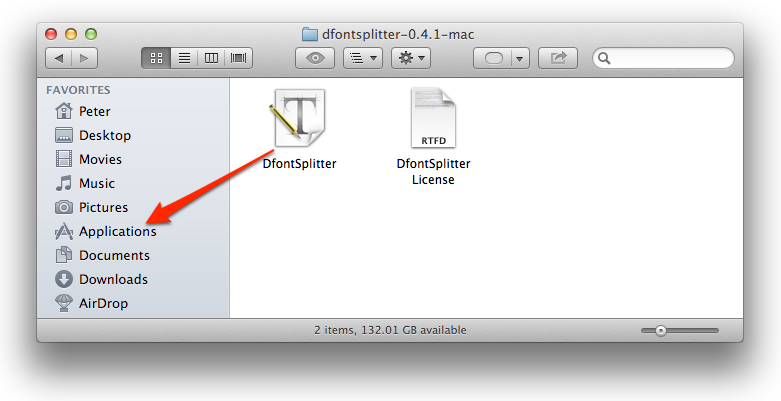
Finally, drag the DfontSplitter application to the Applications folder. You can then launch the application from there.
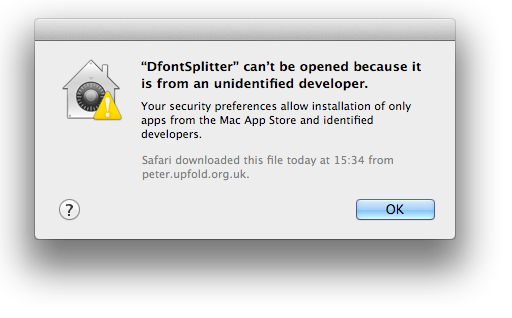
You may receive a message, when trying to launch the application, about it being from an unidentified developer. 1)
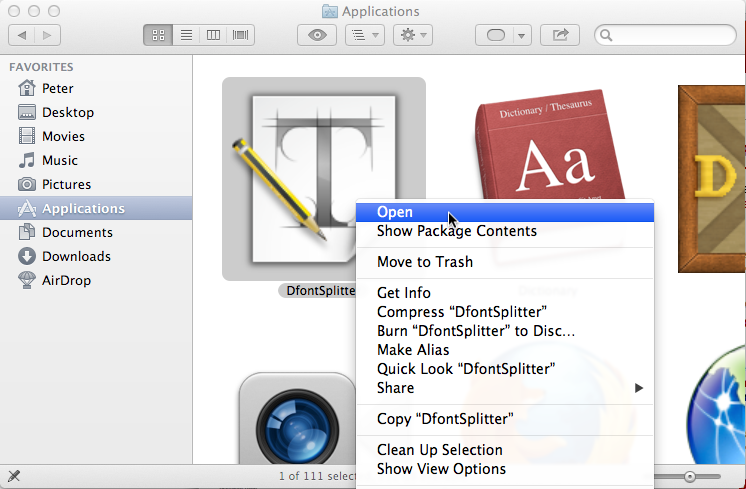
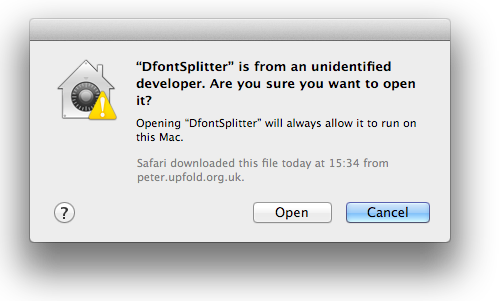
The first time you run the application, you must right- or control-click on it in the Applications folder, and choose Open.
1)
Unfortunately, I cannot afford to join the Mac Developer Program purely to rectify this unless donations from DfontSplitter can cover the cost. I am passionate about computer security, and I realise how particularly unfortunate a lack of code signing therefore is. I remain disappointed at Apple’s decision to ‘plutocratise’ secure Mac development in this way.
dfontsplitter/mac/installation.txt · Last modified: 2012-10-19 15:50:44 by peter
Except where otherwise noted, content on this wiki is licensed under the following license: CC Attribution-Noncommercial-Share Alike 3.0 Unported
