Skip to content

Blog

I bought a Mac

  • MacBook 13″ white
  • Intel Core 2 Duo 2.0 GHz
  • 2 GB RAM 😛
  • 120 GB HDD
  • And all of the other specs of the MacBook

It will take 3 business days to configure (that RAM upgrade and the HDD upgrade), then 3-7 days to ship.

And I can’t wait.

Just to clarify – this will not mean that I will stop using Linux (I certainly now don’t have the money to buy a new desktop anyway 😀 ). It’s not a ‘switch’ either, it’s expanding my horizons, being proficient in all three operating systems (not only does that look impressive on a CV, it’s fun too) and playing around with new stuff.

Expect a massive load of Mac-related blog posts coming as soon as it arrives (unboxing photos included hopefully) and then the platform balance will probably return to about 45%:45%:15% (Mac:Linux:Windows). Or something like that. 🙂

And I’ll try and get that Safari bug to reproduce. Plus there shouldn’t be future Safari bugs, as I’ll actually be able to test in it!

I can’t wait also to have a play around in Xcode and compare it to MS Visual Studio (the latter being a very good product, so I hope Xcode is mind-blowingly good 😀 ). In fact, I better shut up right now or I’ll be here all night explaining what I’m going to be doing. And annoy everyone.

West Quay Apple store

Just got back from Southampton (~30 miles away from where I live). The new Apple Store in the West Quay shopping centre opened today, and I managed to get my hands on an exclusive t-shirt for apparently being one of the first 1,000 people to go in!

I managed to leave without buying anything, this time. It was pretty cool to go there and be there for the opening, but it was really packed and I was queueing for over an hour to even get inside in the first place!

While there, I also discovered a rendering bug with this site under Safari (which doesn’t show up in Konqueror), so I’ll have to take a look at that and hopefully get it fixed!

UPDATE: I can’t seem to see the same issue using BrowsrCamp to get screenshots, so I have no idea what caused the bug. In case it shows up again, the sidebar on the left seemed to have the text appear twice – once on top of the existing text, so you couldn’t read it. Anyone else see this/not see this with Safari?

UPDATE #2: This bug is really nasty. I’ve been unable to get it to consistently happen, so I’m afraid I’m unable to fix it. If anyone else comes on this site on Safari and sees this bug, please screenshot it, tell me as much as you can what you were doing when it happened and send me the information. Thanks.

It was snowing

I took these and uploaded them to Zooomr this morning, but I didn’t get round to blogging it! The cause? A combination of still having to go to college, having a powercut which brought down the internet which then refused to come back up even after the power came back on, and then wondering why the LAN wouldn’t work because of an unplugged cable (wired LANs rule and suck at the same time). Don’t even ask.

» Read the rest of this post…

Why Firefox isn’t more than 11% yet

Firefox logo

Firefox has taken off on home computers as the second most popular browser, and it’s looking very promising for open source, Mozilla and, more widely, non-MS software.

In fact, it supposedly has around an 11% global market share now, which is great news.

The next thing that needs to be tackled, however, is getting Firefox into the enterprise sector, and getting more and more businesses to roll it out. And before that can happen, Firefox needs:

  • An MSI installer for Windows, to make it easy for Windows administrators to roll it out across all desktops instead of running exes manually on each workstation.
  • Integration with Microsoft Active Directory, and respect for AD policies, like IE has now. It’s far too much to configure hundreds of installations of Firefox manually. Many corporate environments utilise proxy servers and other network setups, and there needs to be a way to get this configured centrally via AD or similar and rolled out to all FF installations.

If this happens, sysadmins are much more likely to choose Firefox for security reasons, and if it becomes as easy to manage remotely as IE is now, Firefox 3.0 will hopefully be a winner.

I’m not saying the personal sector isn’t important though – we still need to keep pushing Firefox to the average PC user and marketing it.

The success of Firefox could also prove vital for FOSS becoming mainstream in the future. If people use Firefox and have a good experience with it, they then associate open source with good user experience and being a good product. If that happens, we’re much more likely to see FOSS becoming more mainstream, which is good. Best of all, it keeps the traditional software companies on their toes and making good, well-priced products. 🙂

More adventures from Windows 95 VM land

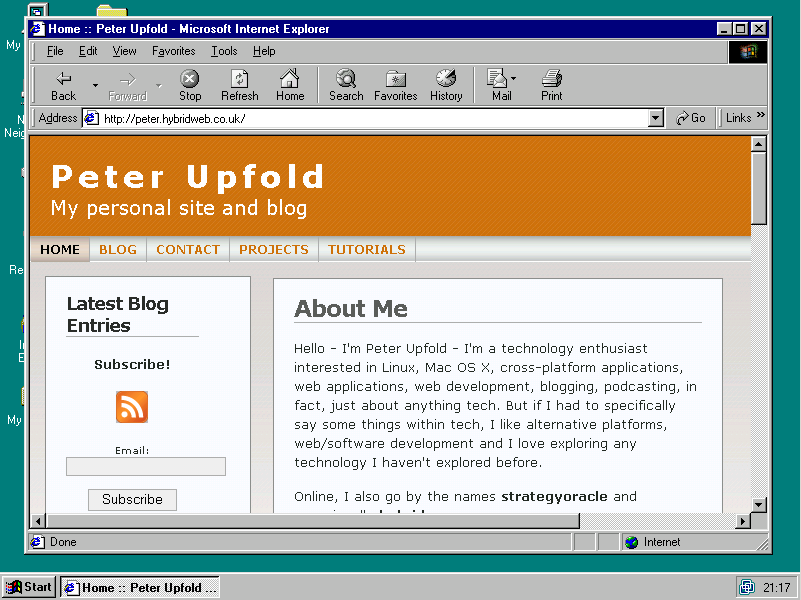
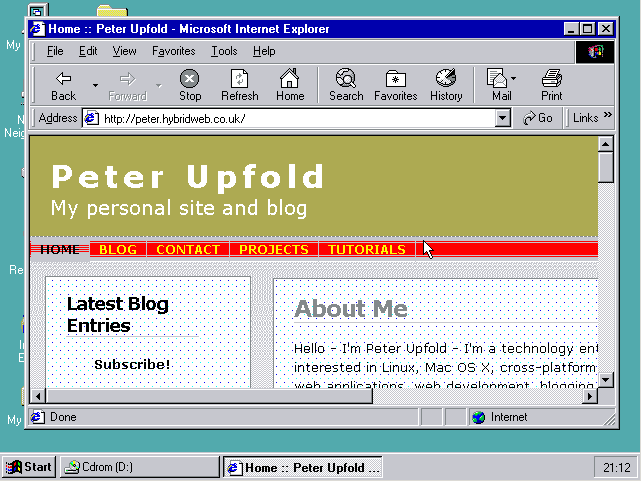
I got IE3 under Windows 95 to display my site. But I didn’t stop there.

After a quick trip around the web to find a copy of IE 5.5 SP2 (the last IE for Windows 95), I manage to grab it and get it installed on Windows 95. Not only does this modernise the browser a touch, but it also installs various DLLs we’ll need to run a much better browser. 🙂

Thumbnails are clickable to enlarge, by the way.

IE 5.5 with 16 colours

Now we have IE 5.5, albeit at a rather bad 16 colours (not 16-bit colour, 16 different colours).

After an install of VMware Tools, we have the drivers to ramp up the colour depth to a respectable 65,536 different colours (that’s 16-bit colour).

IE 5.5 with 16-bit colour

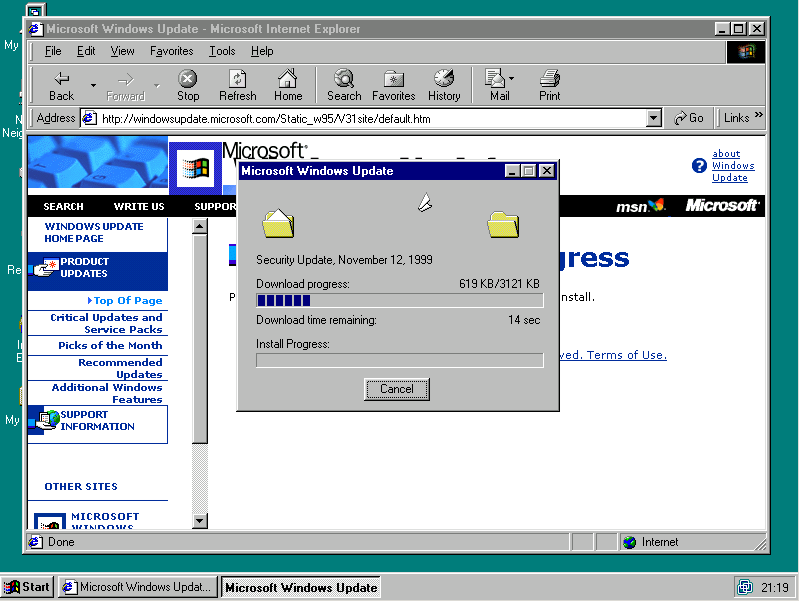
A quick run of Windows Update to apply some security updates from, hmmm, looks like 1999. 😀

Windows Update

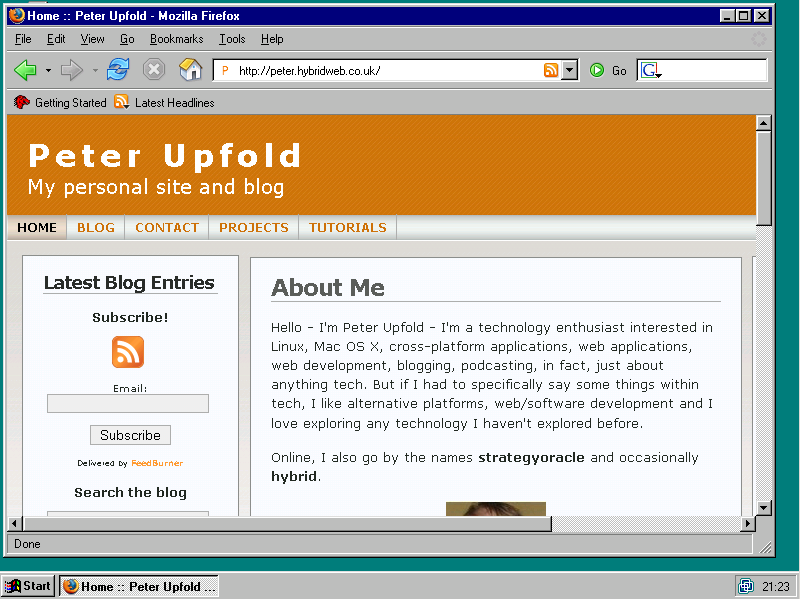
And finally, we install Firefox 1.5.0.9 (it crashes on first run, but a reboot and relaunch and it works perfectly). Finally, a decent browser.

Firefox on Windows 95

Unfortunately, Firefox 2.0.x apparently doesn’t want to work with Windows 95 anymore.

Great fun – and I couldn’t have done it without this guide.

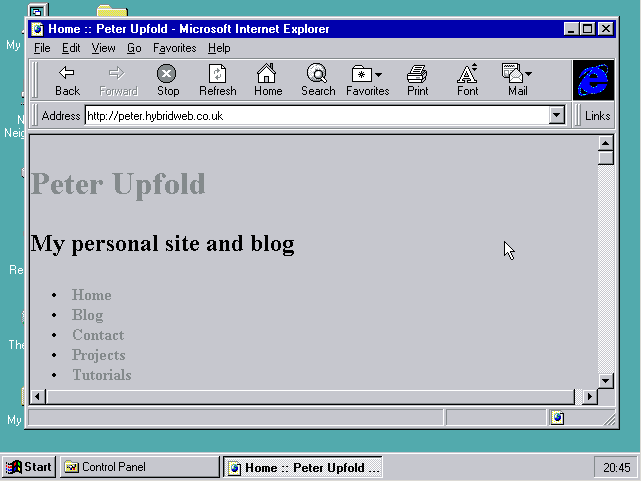
No, this site does not work in IE3

Oh the joys of VMware and a copy of Windows 95. The picture says it all.

No IE3 on my site, please!

Linux Genuine Advantage

A nice spoof of Windows Genuine Advantage:

Linux Genuine Advantageâ„¢ is an exciting and mandatory new way for you to place your computer under the remote control of an untrusted third party!

…we have created a new program available as a required free download: Linux Genuine Advantageâ„¢!

Linux Genuine Advantage.

UPDATE: don’t actually download and install the software on that site, apparently it actually works and will lock you out of logging in in 30 days.

WPGet 0.7 Developer Preview 1

I’ve just released WPGet 0.7 Developer Preview 1. I’ve just taken the code in its current state and put it out here, so anyone interested can give the new features a try. In fact, it should in theory be fairly usable on a production site, but don’t trust me on that – I can’t guarantee it will work.

Here’s the changelog of things that are supposed to make it to the final release:

  • New support for WordPress author – you can see who published which post in WPGet’s output
  • Category support is now fully working, cleaned up massively and is now out of beta
  • Ajax comments system – have your comments available with one click from outside the actual WordPress page
  • Line breaks in WordPress posts are now honoured in WPGet’s output
  • Single post – output only one, static post from outside WordPress (but keeping it up-to-date with WP’s copy)
  • New query wrapper function for more centralisation
  • WPGet will surpress PHP’s errors if a query fails, and display its own (friendlier) message and email detailed error reports if that’s enabled
  • Style support – includes a new style engine making it easier to integrate WPGet with your site’s individual style
  • General speed enhancements and code cleanup
  • Brand new WPGet Installer (née Config Tool)

Not everything there is done in this copy, though, that’s just a list of stuff that will be confirmed to work by the time it goes final. The main thing missing from a feature perspective is styles (the ability is there but there are no styles yet) and not all the query infrastructure is updated to the new wrapper function. Oh, and it’s all not tested (not yet even tried with PHP 4 yet, so be warned).

Still, have a play around and tell me about bugs if you find them. 😀

Download .zip

Download .tar.bz2

Download .tar.gz

Your chance to stop the BBC using Microsoft-only technology

I’ve just completed an online consultation/questionnaire for the BBC Trust about the proposed upcoming BBC video-on-demand service, and there’s quite an important question posed if, like me, you want open standards and not to be locked in to Microsoft technology.

How important is it that the proposed seven-day catch-up service over the internet is available to consumers who are not using Microsoft software?

It’s vitally important that if you live in the UK (or otherwise pay the licence fee) and you don’t want MS lock-in, to go onto this questionnaire and submit your views. We need everyone possible to tell the BBC to not do it in a Microsoft locked-in way, so please go and complete this.

The more people that do this, the better chance of getting our way!

Take the consulation/questionnaire

[via]

Full text feed

Sorry, everyone. My last post was published with a more link in the feed version instead of having the full content in the feed.

Apparently it’s a new ‘feature’ in WordPress 2.1 – thankfully there’s a plugin that can fix it that’s now installed. It shouldn’t happen again.