Skip to content

Blog

OpenSolaris, Sun and other Unix

Just ordered a free OpenSolaris kit (just sign up, give your address and in 2-4 weeks you’ll get a nice pack full of OpenSolaris goodies, including a selection of distributions on CD).

I’m actually quite interested in the OpenSolaris project – once the OpenSolaris distributions mature a bit more, I’m actually think of trying it out as a server operating system. So far, things are early, and as yet not all of the OpenSolaris code has been opened, but Sun are doing a very good job.

In fact, Sun are just great. They’re by far the company contributing most to free software/open source projects and they just seem like a ‘good’ company (at the moment that’s true anyway). It’s nice to have a few Suns to balance out Microsoft’s behaviour and the ‘bad bits’ of other companies (*cough* Apple *cough* FairPlay). I’m not even going to talk about Novell.

There are some really killer features in the commercial Solaris product for the server space, things like Zones and DTrace. A lot of it’s been ported to Linux and BSD, but my ‘unexplored operating system’ radar is going off again. 🙂

Actually, it’s nice to use a Unix which does things differently from Linux occasionally. Not only is it fun to do some exploring, it sharpens your general Unix skills, which can only be a good thing.

In fact, I once got FreeBSD (4.x) onto the oldest computer in this house, which is an IBM-compatible PC with a 75 MHz Pentium processor and 16 MB of RAM. I actually got Apache to compile (after roughly 4 hours) and I installed PHP and MySQL too (thank goodness MySQL is a binary package or it would have been there for days!). It worked reasonably well as a web server, except for the fact that most pages incurred a 10 second delay and PHPMyAdmin would take about 20 minutes to load. 😀

I’ve since tried messing with FreeBSD (and NetBSD as well), but I always tend to get mixed up in the installation process. I guess I need some more practice.
KDE on Mac OS X

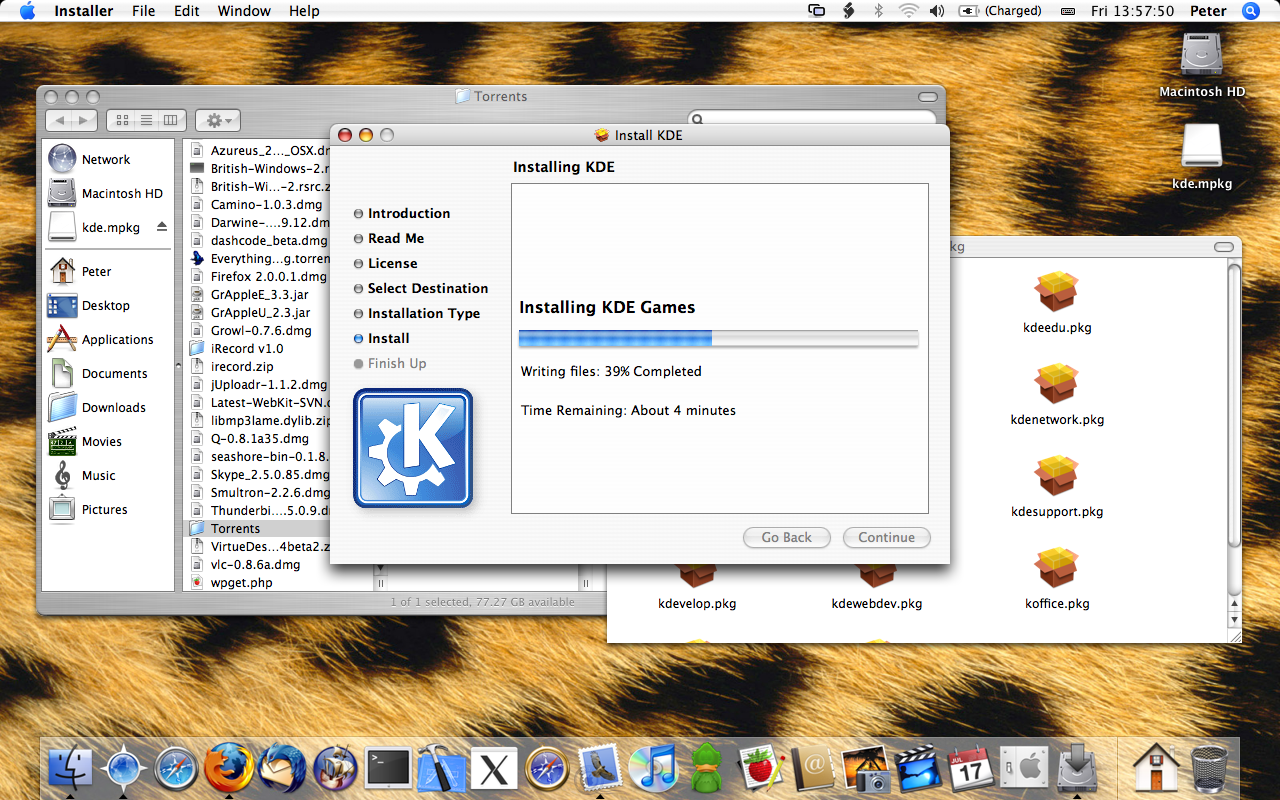
Just installed KDE on my brand, shiny new MacBook. I got 2 GB worth of KDE goodness (the ‘everything’ torrent) from here and simply opened up the disk image and launched kde4.mpkg.

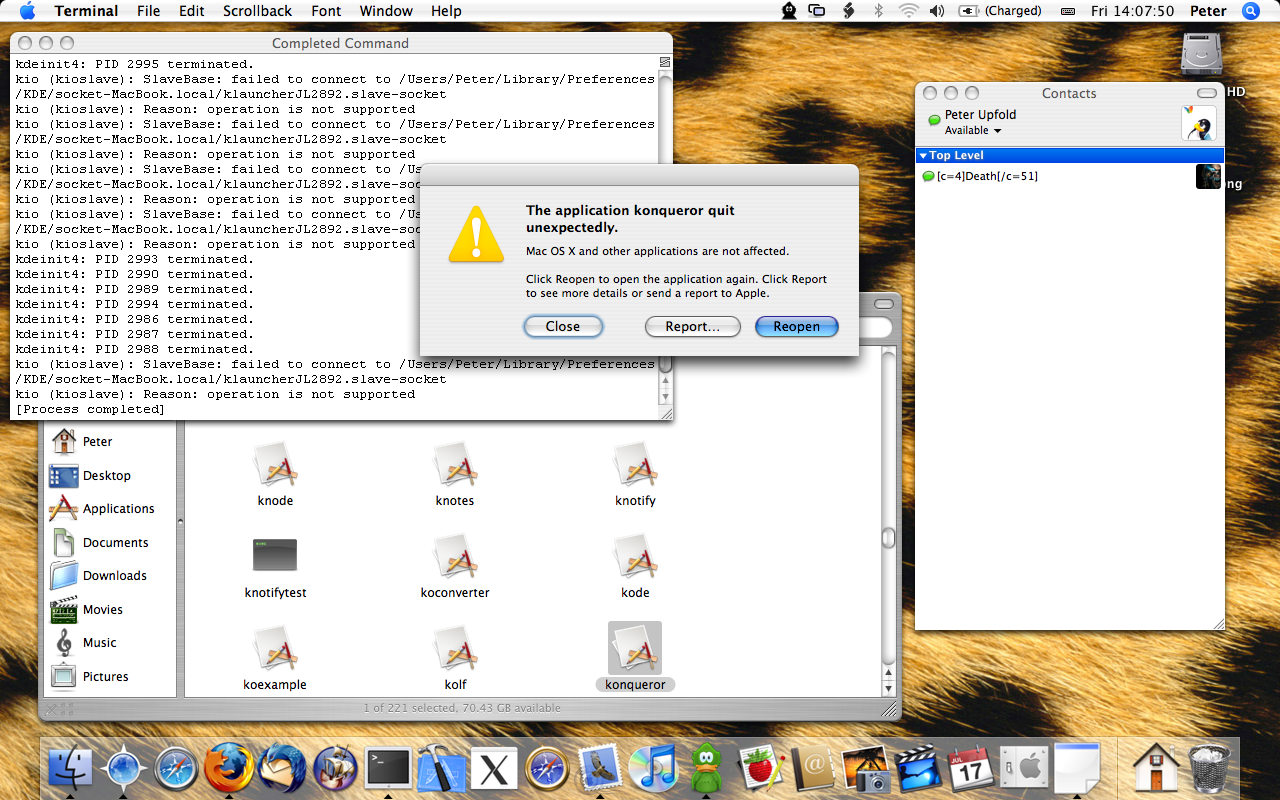
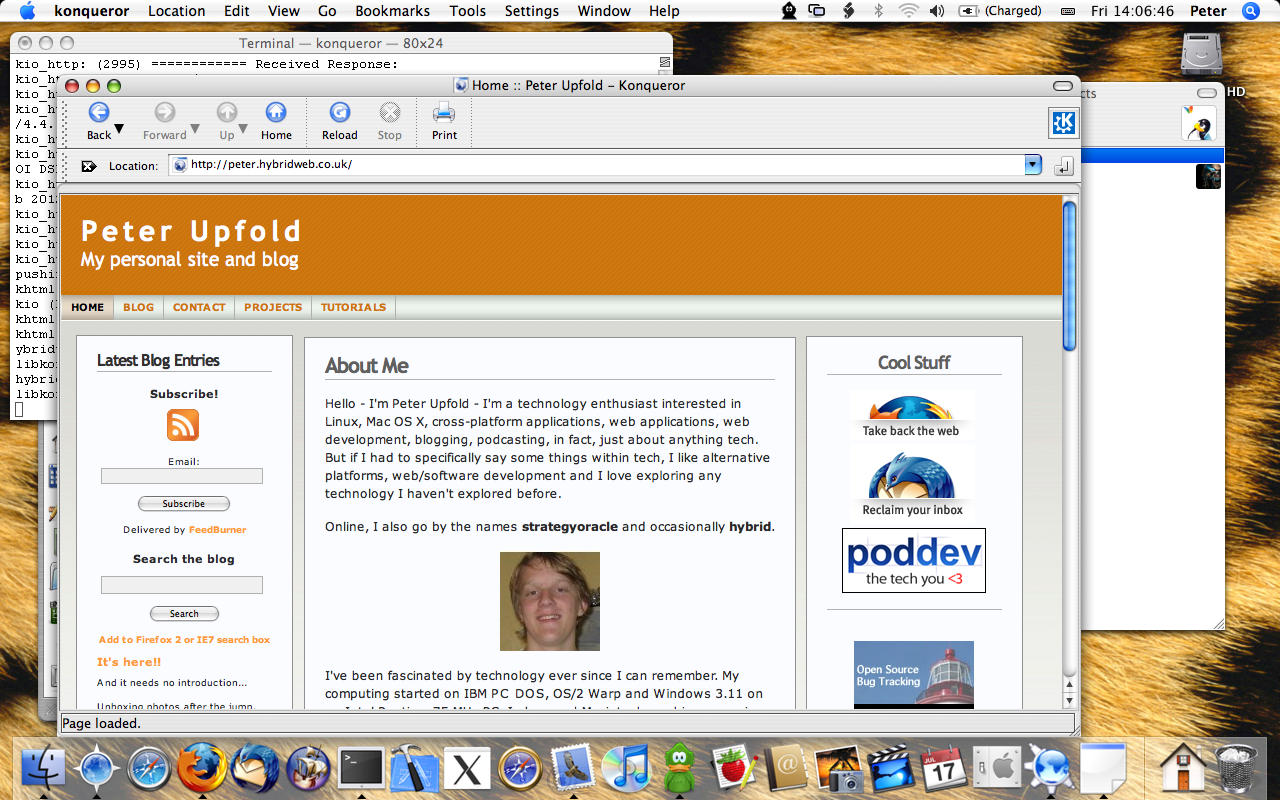
Konqueror runs and works reasonably well as a web browser – but sadly crashes when trying to use it as a file manager (and I’m not after the web browsing portion).

Installing KDE on OS X

Installing…

Konqueror on OS X

Running…

Konqueror crashed!

And crashing… 🙂

I do have a whole host of other KDE apps on Mac OS X to play with and of course much more stuff to do natively too!

OS X is awesome. All the marketing stuff about ‘working out of the box’ is actually surprisingly true. After running the initial “I’m going to ask you millions of questions” setup assistant, you fly straight into a ready-to-run system. Maybe it’s just I’ve never had a decent Windows OEM setup before (is there such a thing?), but Apple get the OOBE right.

Linux Genuine Advantage

A nice spoof of Windows Genuine Advantage:

Linux Genuine Advantageâ„¢ is an exciting and mandatory new way for you to place your computer under the remote control of an untrusted third party!

…we have created a new program available as a required free download: Linux Genuine Advantageâ„¢!

Linux Genuine Advantage.

UPDATE: don’t actually download and install the software on that site, apparently it actually works and will lock you out of logging in in 30 days.

FireBug 1.0 rocks

FireBug is an awesome Firefox extension for web developers.

The FireBug developers have just put out a 1.0 release and it includes loads of cool features. There’s one that I just have to share, though, and it is awesome.

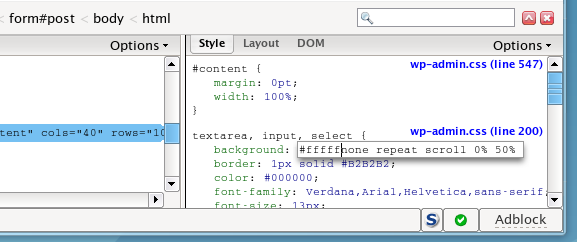
If you use inspect to select an element on the page, you can then double-click on bits of the CSS in the right hand pane, and get this, edit them in real time! That means you can literally play around with how a website looks in real time and it’s really useful when you want to make a CSS tweak to something. You just use FireBug to preview it in real time and adjust your edits to make it just right, then you can tweak the actual file. No page reloading needed (or worse Ctrl-F5 to clear the cache).

FireBug screenshot

Download and install it from the official Mozilla add-ons page.

Beryl+Emerald in action

Unfortunately, my normal screencast solution isn’t compatible with the new 3D effects and all that stuff, so I had to do it the old-fashioned way this time, and point a video camera at the screen.

So this is what it looks like (YouTube embed below, so you may need to click through if you’re in a feed reader):

I have Beryl+Emerald!

W00t!

I’ve been trying to replace my ageing and seriously semi-broken Compiz installation with Beryl for a while now, and I’ve finally got it working!

For those of you not in the know, Compiz is the bit of software that provide the desktop cube effects, and the transparency and wobbly windows and all of that stuff on Linux desktops. Beryl is Compiz on steroids (it was forked and is now the community version) and it features so much more than Compiz. Plus, my version of Compiz was kind of heavily broken, but that’s a story for another day.

I now have all the 3D (some ridiculously distracting) effects I could ever want, and I get even better, fully customisable transparency, bucketloads of themes – plus you can customise them and … well, if you like tweaking stuff like me, this rules.

So here’s a quick screenshot of my desktop now with a few windows open. 😛

Desktop18012007Desktop18012007 Hosted on Zooomr

As you can see my particular theme here combines some Vista-like transparency with some glass effects, a bit of blue from my old Compiz theme and some Mac-inspired window controls to form my personal setup.

And I like it. Well, inevitably I’ll wake up tomorrow and completely change it. Tweaking your entire GUI style exactly how you want it is addictive, believe me!

It’s taken me far too long to replace the old Compiz with this, and I’ve finally done it!

If you want to download my heavily tweaked theme, you can grab a copy here (requires a recent version of the Emerald window decorator, and yes, it’s Linux/BSD only!).

Flash Player 9 for Linux

It’s official – Flash Player 9 for Linux has gone gold as of today!

The Penguin.SWF blog post about it doesn’t tell you a lot more, but it’s where I heard about it. You can now download it from Adobe.

FOSSwire post on how to install it coming soon is here.

Once again, thank you Adobe for your cross-platform commitment (now we need Photoshop, heh).

Productivity is using virtual desktops

I love virtual desktops. They rule – they come as standard in virtually every Linux setup and you can get third party programs for other operating systems too. Combine that with the eye candy of Compiz and you have productivity and beauty in a crisp sugar shell. Sorry about the Smarties reference.

Anyway, this is my setup for coding. When I’m happily hacking away (like I have been for the past, oh – four days non stop?) I like to have my virtual desktops like this. By the way, clicking on the screenshots will not allow you to spy on me – they will not get any bigger. Don’t even try. Sorry about the blur too. Needs must, I’m afraid.

» Read the rest of this post…

Firefox 2.0.0.1

Firefox

Mozilla have released Firefox 2.0.0.1, which contains some important security updates and a couple of other fixes, plus official support for Vista (it worked fine in RC1 for me anyway, but now it’s officially supported).

To upgrade, go to Help > Check for updates (running as an administrator) and restart the browser when it’s done.

Non-GPL drivers in the Linux kernel

This OSNews story tracks a conversation on a mailing list about the Linux kernel. Basically, some people who hack on the kernel want to place a warning in the kernel if you try and load a non-free kernel module or driver that it will not work in kernels released as of January 2008. The idea being they will release another patch by then that prevents non-free modules from loading.

I think this is a stupid idea.

First of all, this move would in theory lock out the proprietary Nvidia and ATI graphics drivers. Now I’m running the Nvidia driver for Linux as I type this. If that suddenly stops working in 2008 when I upgrade, then I won’t be able to enjoy beautiful graphics or play amazing open source games.

Also, in theory it would also block a technology called ndiswrapper, which allows you to run Windows network card drivers (usually for wireless cards) under Linux. It’s open source, but since it links with proprietary code (the Windows drivers), it would be restricted presumably.

More importantly, this makes Linux look worse as an OS to people who might consider switching, and might consider the free software/open source ideology. Their 3D graphics will never be able to work out of the box (unless they have an Intel chip) and their wireless cards are never going to work. Is this going to inspire more people to use a free platform?

No. It will alienate potential users and it will make Linux, in the eyes of the average computer user, go from almost a real alternative to being an interesting technical exercise for free software purists, and free software purists only.

To the people considering doing this – would you rather have people use a mostly free platform or use a completely proprietary platform because the 100% free one doesn’t work with their hardware and isn’t therefore useful to them? Make your choice.

I’ve made mine – if this goes through, in a year’s time I’ll be running a patched kernel with this restriction removed. Unless every single device driver goes open source within a year (which isn’t going to happen).

Thankfully, Linus is against this move and I support him on this. There are also other arguments against this – including that it violates Freedom 0, but I’ve said enough and you’ve read enough.